欢迎使用 Mozen
一种让思考自由生长的方式
先把脑子里的想法变成一张张卡片,再在整理页里把它们连成网,最后从卡片盒里抽出材料去写作。这不是又一个记事本,这是一套会生长的思考方法。
Mozen 的核心方法来自卢曼卡片盒(Zettelkasten)。德国社会学家尼克拉斯·卢曼用这套方法在 30 年里写了 70 本书、400 多篇论文——他的秘密不是记忆力好,而是有一个比大脑更可靠的外部思考系统。
Mozen 能做什么
Mozen 不是一个单一的笔记应用,而是一个统一工作区底座:同一份内容可以在文档、白板、阅读器、图谱、时间线等多种视图中呈现。
- 捕捉想法:随手记下灵感、读书笔记、项目计划
- 整理连接:在卡片盒里给想法编号、归类、建立链接
- 深度创作:在项目工作台里写长文、画白板、做演示
- AI 辅助:20+ 个专业技能,从写作润色到学术搜索,AI 全程陪伴
- 阅读吸收:内置电子书阅读器,边读边记,生词自动收集
- 可视化思考:无限画布白板 + 知识图谱,让想法看得见
- 社交协作:和朋友分享笔记、私信讨论、多人实时协作
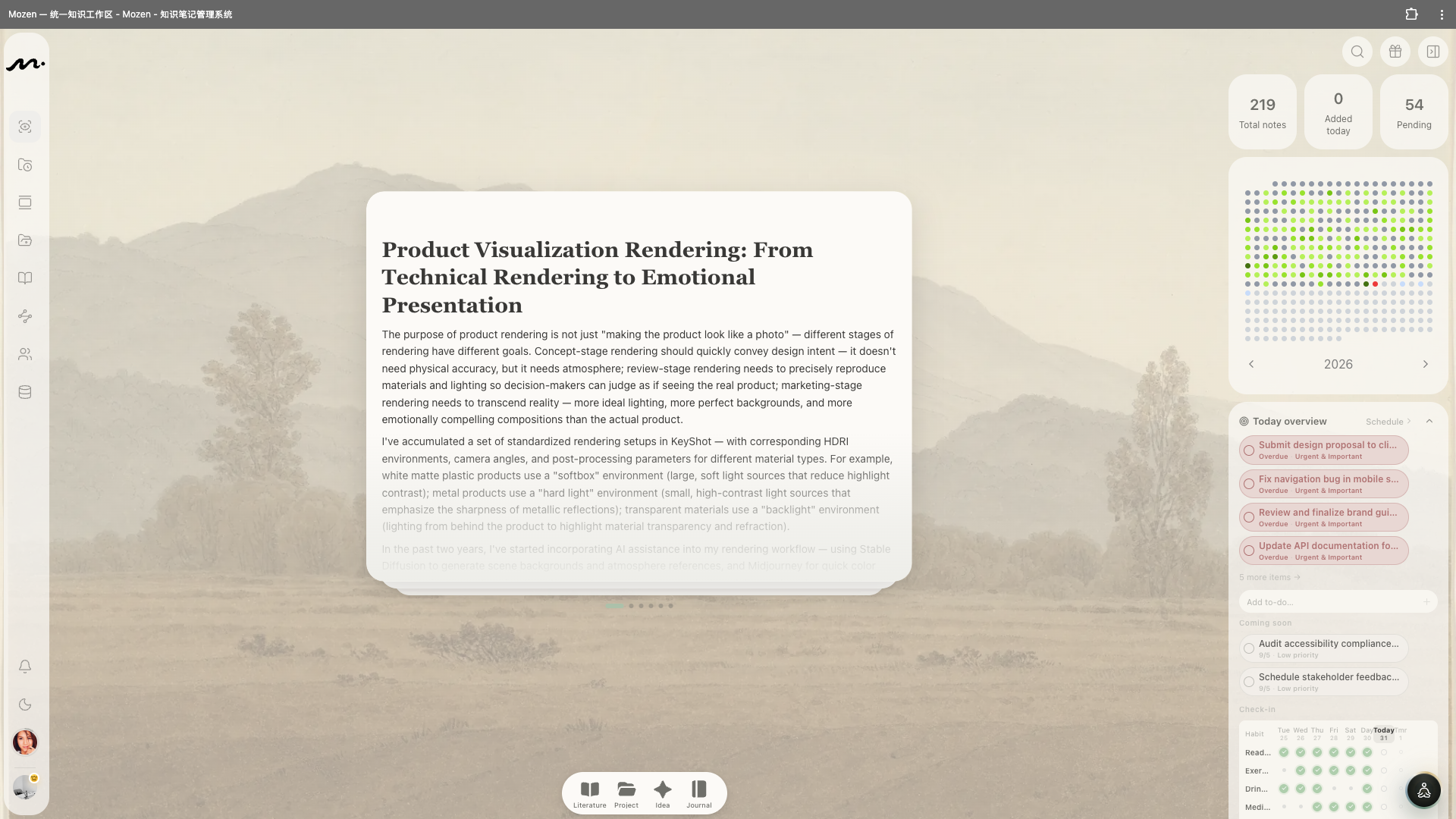
左侧导航一览
打开 Mozen,左侧是一列图标导航条:
| 图标 | 页面 | 用途 |
|---|---|---|
| 👁 | 发现 | 首页,卡组式随机浏览你的永久笔记 |
| 🕐 | 最新 | 按时间线看最近创建或修改的笔记 |
| 📋 | 整理 | 卡片盒核心——分类、编号、连接 |
| 📁 | 项目 | 创作工作台——写文稿、画白板 |
| 📖 | 阅读 | 电子书书架和阅读器 |
| 🔗 | 图谱 | 知识关系的可视化 |
| 👥 | 通讯录 | 好友列表、私信、群聊 |
| 💾 | 资源 | 媒体文件的统一管理 |
底部还有通知铃铛、明暗模式切换、音乐播放器、用户菜单和设置入口。
快速创建笔记
屏幕底部有四个快捷按钮,随时创建不同类型的笔记——不用先想好放哪里,先记下来再说。
也可以完全不管方法论,先把 Mozen 当成一个好用的本子:底部四个按钮随时记,首页每天翻几张。等你开始觉得「这些卡片该放在一起」的时候,再回头看第 3 章。方法是为了用,不是为了先考过。