AI Assistant for Research Work
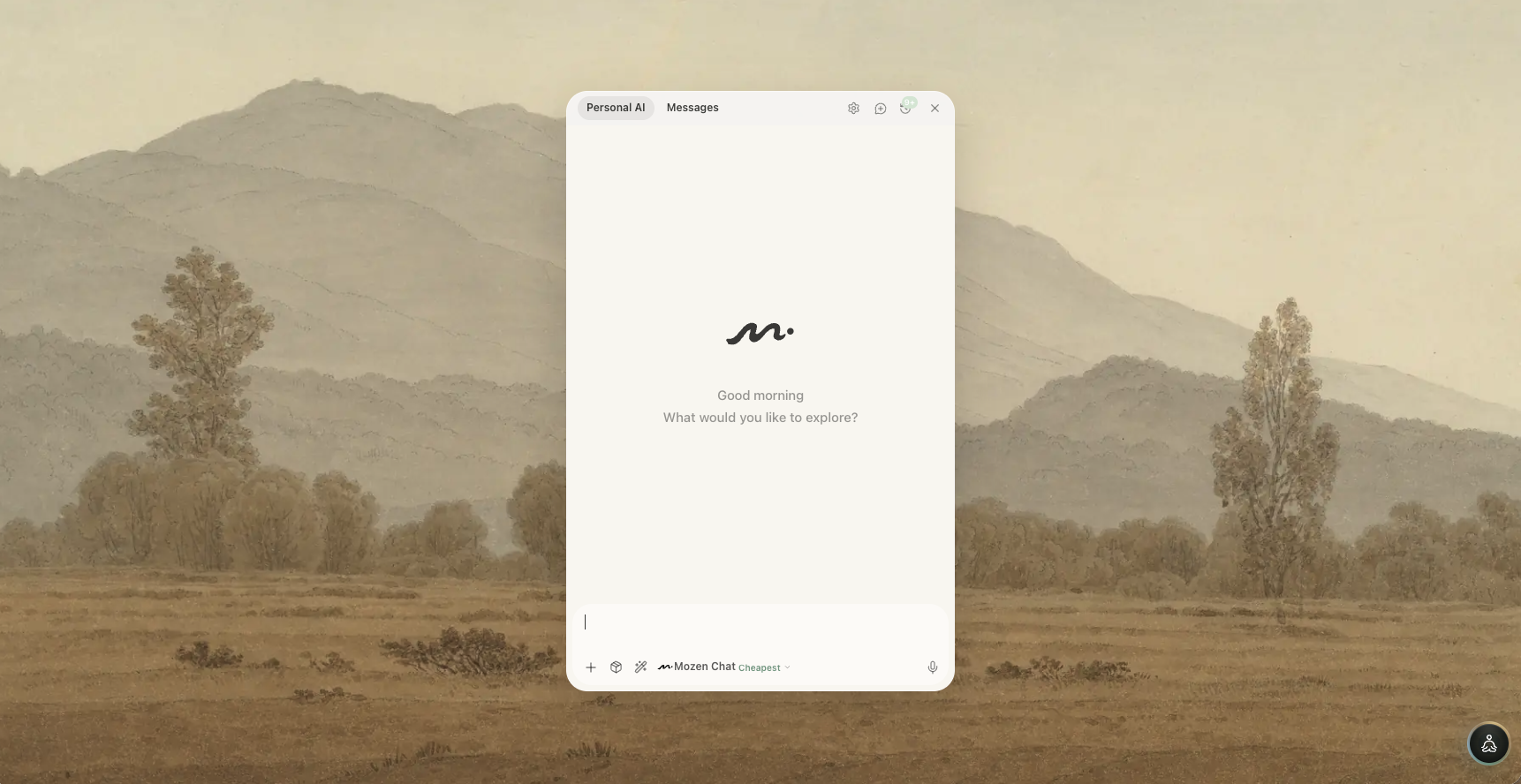
Mozen's AI is not only a chat box. It can read your notes, revise drafts, draw on the whiteboard, search papers, and help with schedule—always inside the same workspace as your sources.
For the literature-review path, prefer skills that land in the workspace or editor, then verify every claim against originals (Academic Mode, Publishing).
Where to open it
| Place | Best for |
|---|---|
| Floating ball (bottom-right) | Anywhere: tap to chat, hold to speak, drag to a convenient spot |
| Project fourth column | Long writing: sees selected cards and the draft under edit |
| Editor selection bar | Rewrite, expand, polish, continue on a selection (✨) |
| Editor drag-handle menu | Same four actions on a whole block |
| Organize assistant | Classification, link suggestions, note checkup |
| Whiteboard selection bar | Analyze selected shapes, images, or mind maps |
| Reader selection | Translate, explain, summarize a passage |
Skills, not one generic chat
Capabilities are split into skills, each with its own knowledge base and tool permissions. Mozen matches a skill to your question, or you pick one above the input. Outputs land in different places:
| Lands in | Skills |
|---|---|
| Whiteboard | Poster · Cover · Presentation · Infographic · Mind map · Flowchart · Image generation · Learning portfolio |
| Editor | Long-form · Creative writing · Academic paper writing · Paper formatting |
| Workspace | Literature review |
| Conversation | Peer-review feedback · Integrity checks · Deep research · Layout advice |
Skills that write to the whiteboard or editor need a project first. For posters, decks, or mind maps, AI needs a canvas—from Home it will take you into a project workspace.
Models and credit multipliers
The model control on the input toolbar lists available models (which models you see is not tied to your plan; the platform maintains the list).
Each model shows a multiplier such as 3× or 15×: the same exchange costs roughly that many times the cheapest tier. Default Mozen Chat routes for you—it still spends credits; it is not a free lane.
Model choice is remembered per note, so an expensive model on one draft does not affect others.
Memory
AI can remember preferences, terms, research area, and writing style. Manage everything under Settings → AI, voice & tools → AI memory:
- Master switch off: no new memories and none injected into chat
- Each memory shows its source (manual, asked-to-remember, auto from chat, background task, or merge)
- Edit, delete, archive, or clear all (irreversible)
- Optional auto-consolidate, or run "Organize memory" manually
Your own tools (MCP)
Settings → AI, voice & tools → MCP servers connects Model Context Protocol servers to extend what AI can call. Available on all plans.
Long-running tasks
Literature sweeps, review drafts, and paper formatting can run a long time. You may leave the page.
Before you close the tab
- Can background: the task continues server-side; a spinning pill AI task running returns you to the chat
- Cannot background: the chat says the task needs the page open—usually because it must mutate the whiteboard or editor
Waiting on quotas
When rate-limited, the chat shows a wait countdown and resumes automatically.
When it pauses
There is no hard time cap while progress continues. After about an hour of continuous work with no user action, Mozen pauses, keeps progress, and notifies you. Send "continue" in the chat to resume. You can cancel anytime.
What does not spend credits
- Dictionary lookup while reading
- Background work you did not trigger: semantic index on save, auto-tags, memory extract/organize, writing-style profile
Every other AI call bills—including default Mozen Chat.
Boundary: AI can help you arrange material. Do not let it decide which branch gets a Luhmann number or whether two cards should link. That judgment is your thinking—and the only reason the box will still recognize you later. See Organize.